Automatically create cutouts and holes
 Pro
Pro
Extended control of drilling functions
To have more control over whether Drill Shapes are performed in all or specific sections, tags can be added. In short, the following controls are available:
| #1 | HWDrill shapes that contain #1 in the name will only drill elements that are located in the same Assembly. |
| #2 | HWDrill shapes that contain #2 in the name will only drill elements that are located in a different Assembly. |
| _ | Elements with a name that starts or ends with _ are not drilled. |
| + | HWDrill shapes that contain a + in their name will override the option above (_). |
The drill function by default
The impressions below illustrates the different controls, based on a model build up like this:
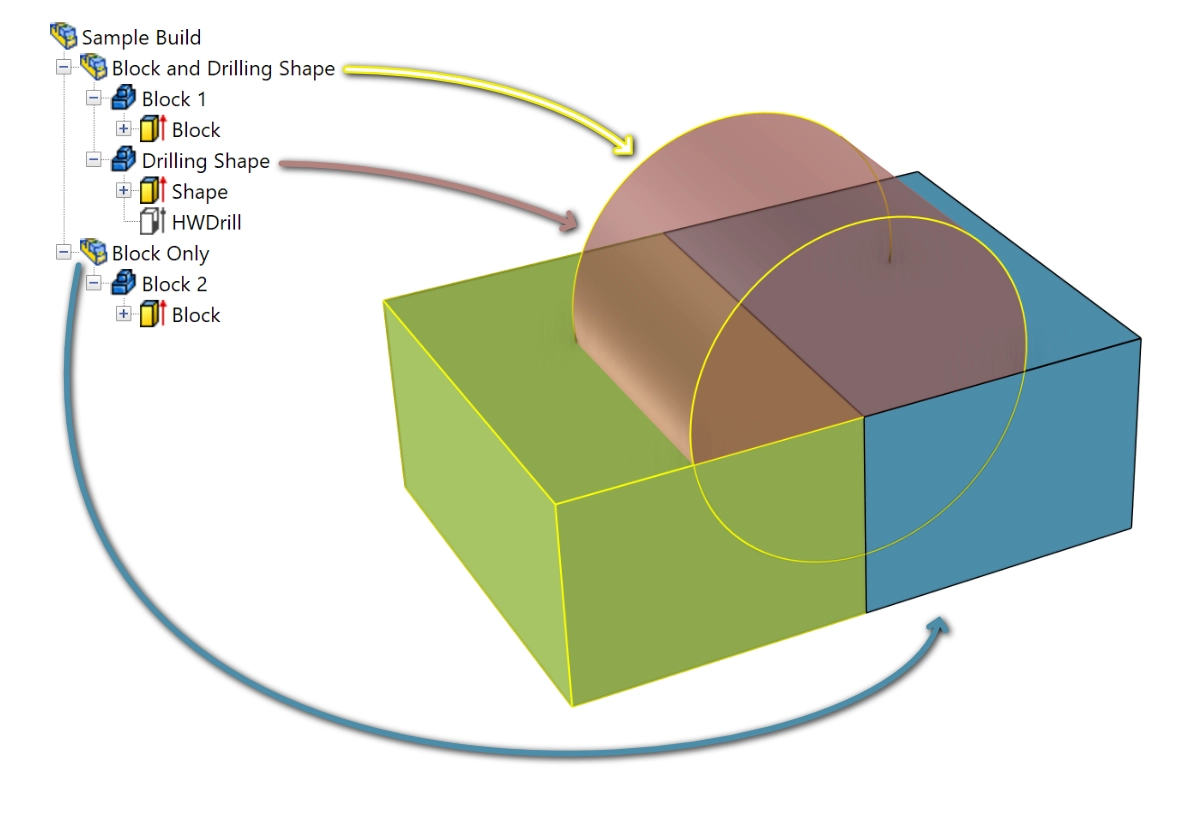
The red cylinder is de drilling shape, as that IntelliShape is named HWDrill. This cylinder collides with Block 1 and also Block 2. Having no controls added, hitting Drill in Para-Flex creates a model like this:
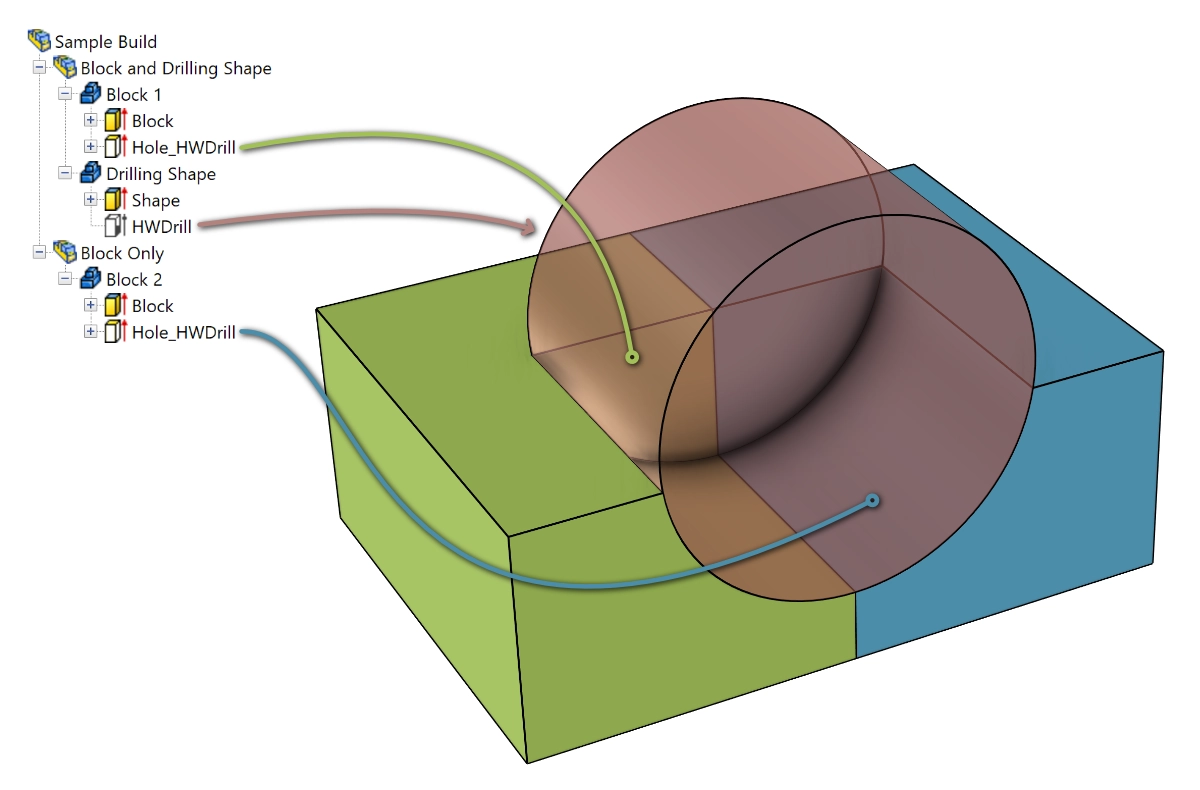
Controls
Using the mentioned model, the controls/tags are added to the name of the drilling IntelliShape or to the name of the Part (or Assembly) to generate the examples below. Please note that the red cylinder in the examples below is shorter than the original HWDrill shape, so that its operation is easier to see.
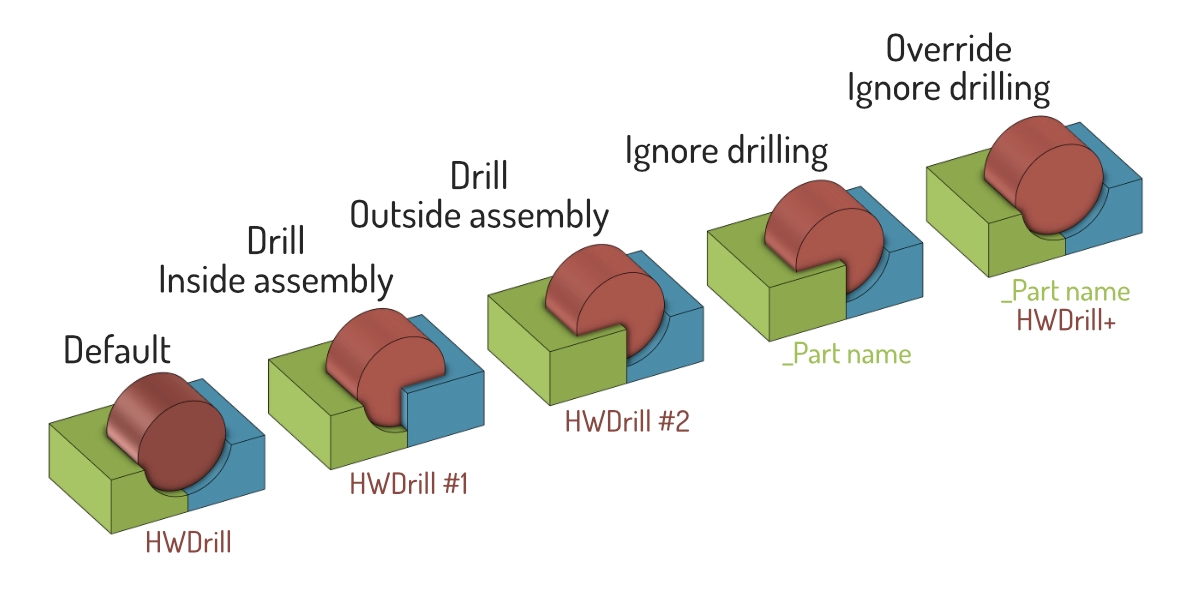
Check the expandable toggles below for more detailed descriptions of each tag.
The used IronCAD file containing these samples is available here. (Suitable for IC2026 and higher).
Apply drill only whitin same assembly by using "#1"
If a drilling shape is to be applied only to elements that are part of the same Assembly or parent Assemblies, add “#1” to the drilling shape’s name. Parts contained by other Assemblies (possibly within the same parent Assembly) are not affected by this drilling shape anymore.
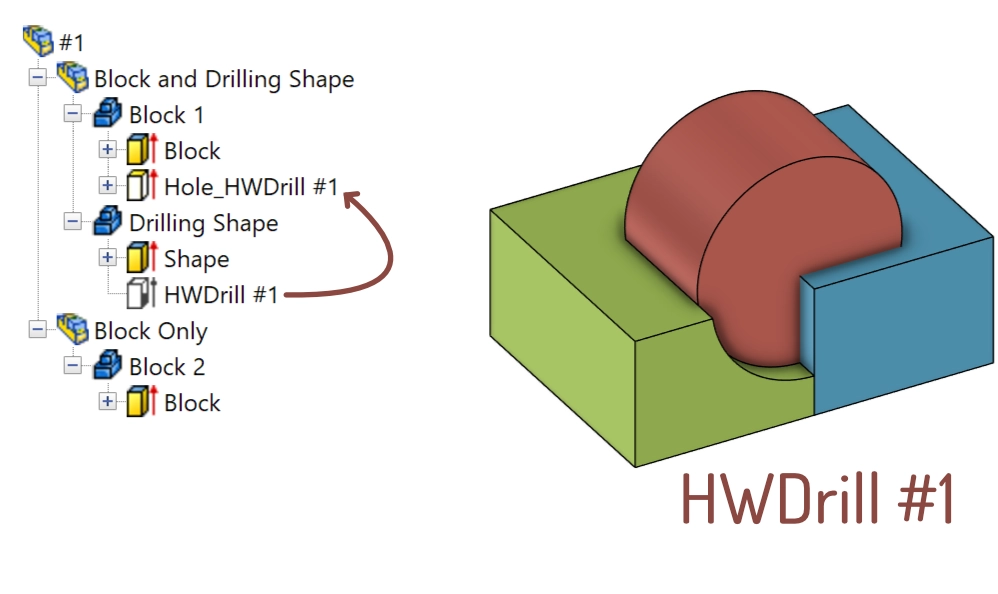
Block 1 is drilled as it is located within in the same Assembly as the Drilling Shape. Block 2 is not drilled, because it’s located outside the Assembly of the Drilling Shape.
Apply drill only whitin other assemblies by using "#2"
An HWDrill shape with a name containing “#2” only drills into elements that are located outside the parent Assembly. Parts located within the same Assembly as the drilling shape are not affected anymore.
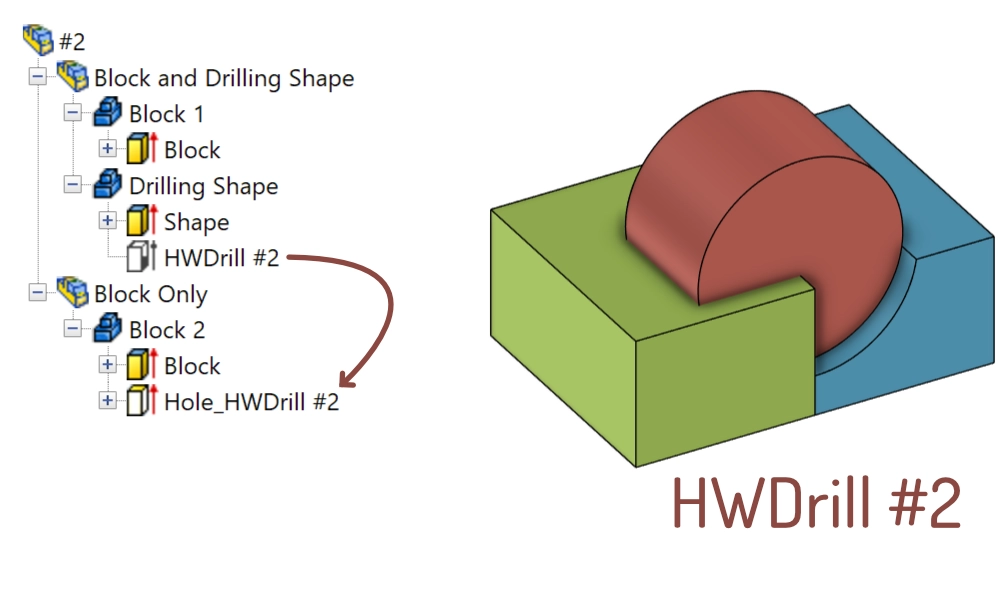
Block 1 is not drilled as it is located within in the same Assembly as the Drilling Shape. Block 2 is drilled, because it’s located outside the Assembly of the Drilling Shape.
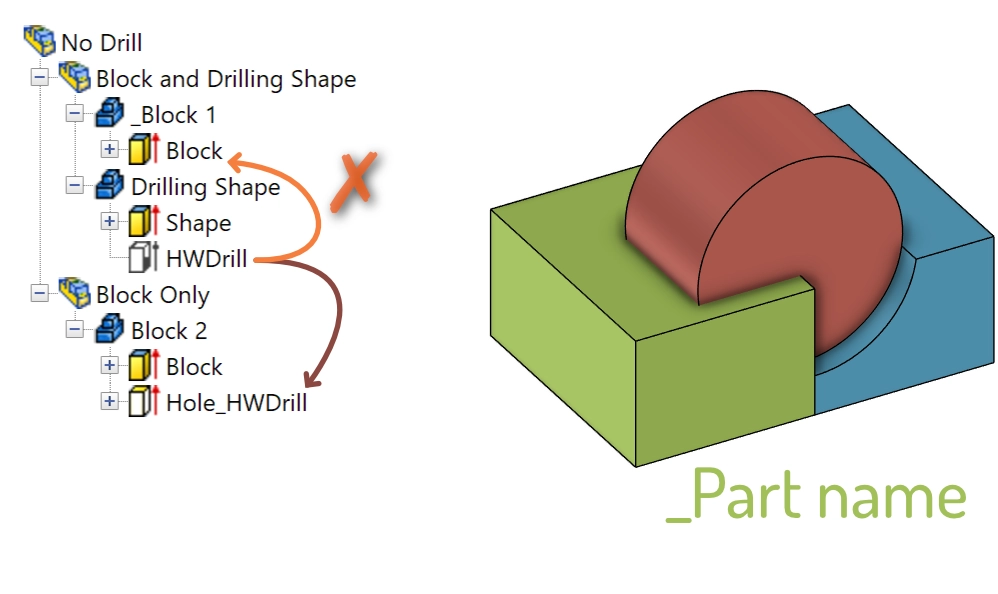
Exclude parts from the drilling operation by using "_"
When a Part has to be ignored by drilling operations, simply start or end the name of that Part (or the complete Assembly) with an underscore ‘_’. For example having a window frame that consists of multiple parts: the frame has to create a rectangular hole into the wall, but should not cut out the glass panel. In this case the part “Glass panel” could be renamed to “Glass panel_” or “_Glass panel”.
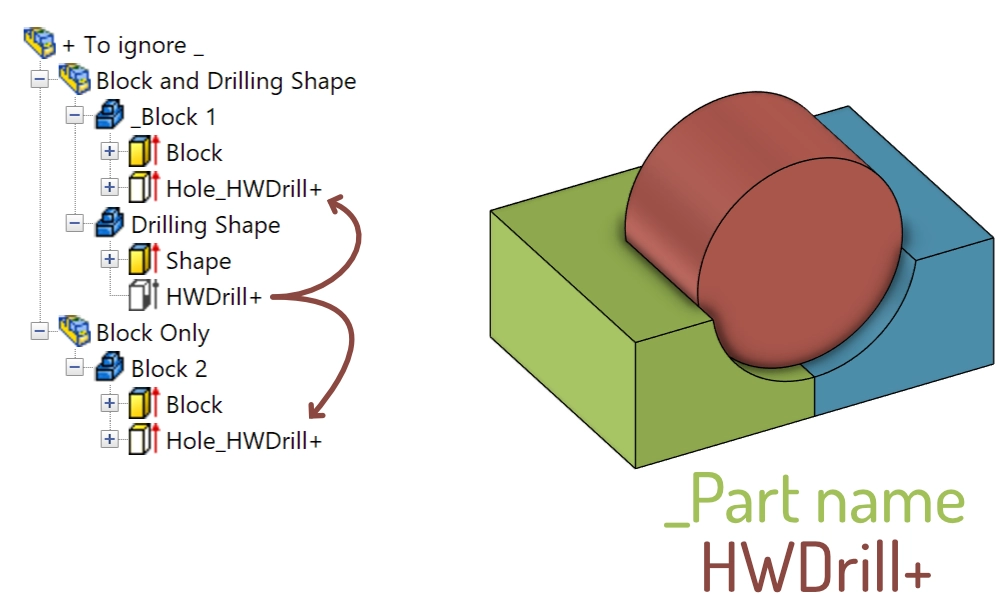
Override _ by using "+"
If is desired to have a part that is set to be ignored (by ‘_’, see above) still is been drilled by a certain drilling shape, use the control “+” in the name of that HWDrill-shape.
Conditions
- The drill functionality is only available for users of Para-Flex Pro and higher.